
Website Redesign
Neeha Fathima
CDO & Co-Founder
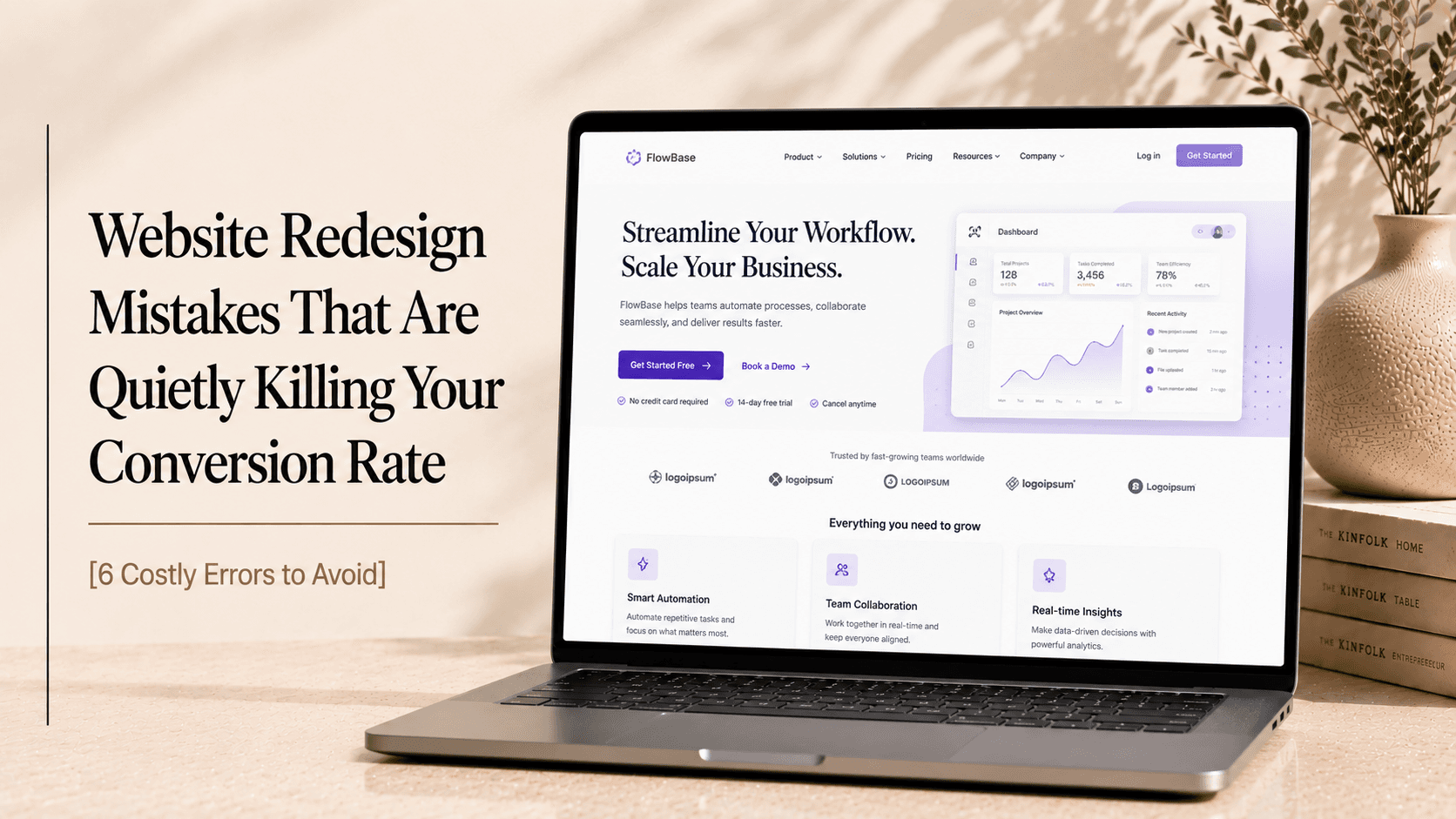
You're about to redesign your website. Or maybe you already did, and something feels off. Traffic dropped. Enquiries slowed. The site looks great but it's not performing the way you expected. Sound familiar?
I've seen this happen more times than I can count. A business invests real money in a redesign, launches with excitement, and then watches the numbers go sideways. Not because the design was bad. But because somewhere in the process, a decision was made, or skipped, that broke something important.
The hard truth? Most website redesign mistakes aren't visible in the design itself. They happen in the decisions made before, during, and right after launch. And the worst part is, by the time you notice them, you've already paid the price. Research from HubSpot shows that 38% of people will stop engaging with a website if the content or layout is unattractive, but poor redesign decisions often damage performance even when the site looks good.
So let me walk you through the mistakes I see most often, and more importantly, how to avoid them.
Mistake 1: Starting With Design Before Strategy
This is the most common redesign error I see. Everyone's excited to pick colours and look at layouts. So the team jumps straight into design, and nobody asks the harder questions first.
What do you want the site to actually do? Who is it for? What's the single most important action you want a visitor to take?
A website redesign without a clear strategy is just decoration. You end up with something beautiful that doesn't convert because the structure, messaging, and user journey were never thought through.
Before you design anything, get clear on:
Who your primary audience is (be specific)
What action you want them to take
What information they need before they'll take that action
How the redesign will improve on what the current site does
Design should express your strategy, not substitute for it.
Mistake 2: Ignoring Your Existing Data
Here's something that surprises people: your current website, even if it's bad, is full of valuable information. And most teams walk away from a redesign without looking at any of it.
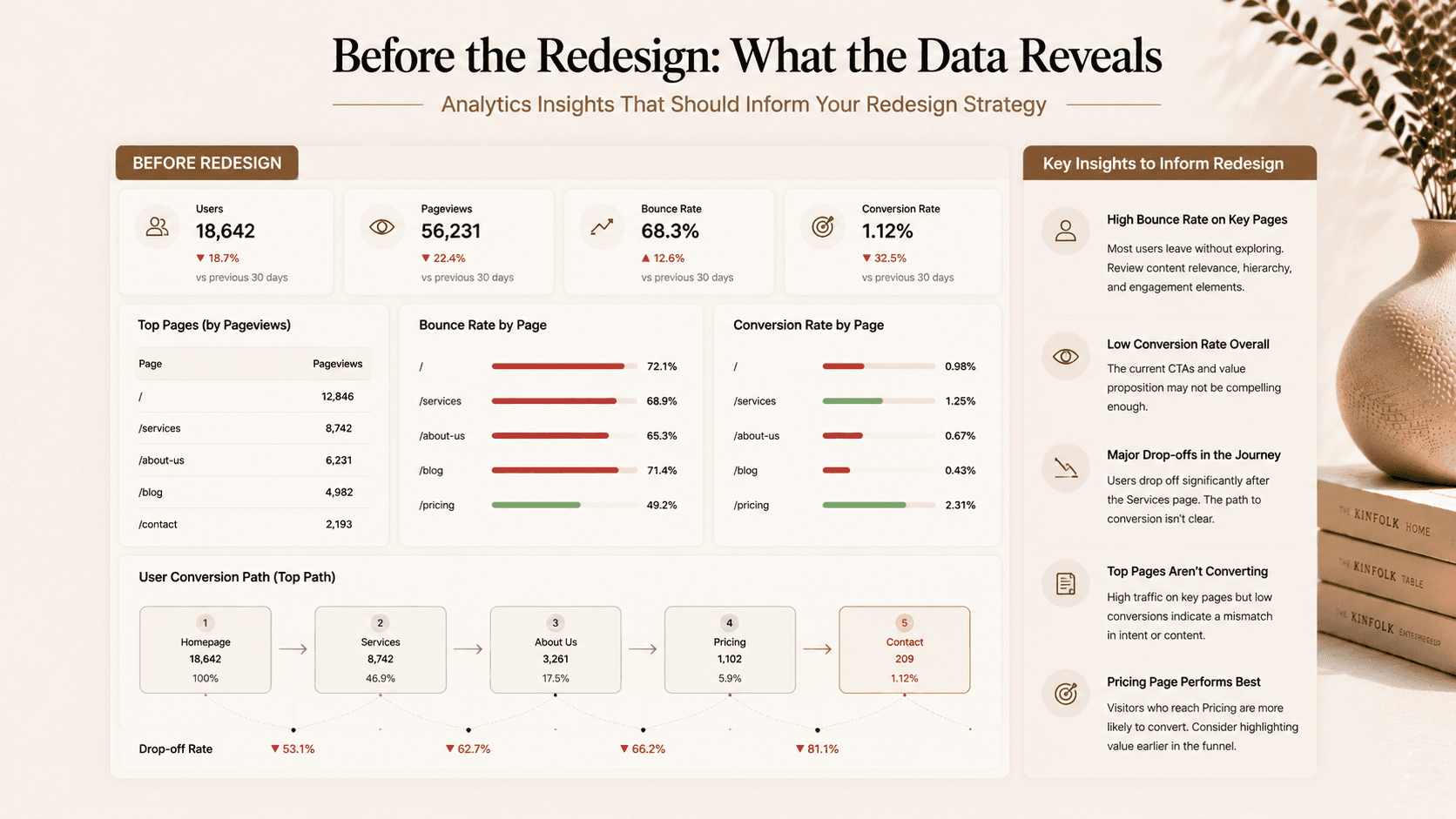
Your analytics know things. They know which pages people actually visit. Which ones they leave immediately. Where they drop off in your conversion funnel. Which traffic sources bring buyers versus browsers.
Ignoring this data is one of the most damaging redesign errors to avoid. You might remove a page that's quietly driving 30% of your enquiries. You might simplify a navigation that users actually rely on. You might change a CTA that was already working.
Check these before redesigning:
Top 10 pages by traffic and by conversion
Bounce rate by page, not just site-wide
Traffic sources and which convert best
Heatmaps and session recordings (Hotjar, Microsoft Clarity)
Current conversion rate so you have a baseline to beat
The goal of a redesign is to do better than what you had. You can't know if you succeeded unless you know your starting point.
Mistake 3: Destroying Your SEO Without Realising It
This is the one that hurts the most, because it's invisible until the damage is done.
You redesign your site. New structure, new URLs, new pages. You go live and spend a few weeks feeling great about the new look. Then Google re-crawls your site, and traffic drops 40%. Rankings that took years to build have disappeared overnight.
What happened? Nobody set up redirects.
When you change a URL, even slightly, from /services/web-design to /web-design-services, Google treats it as a new page. The old URL no longer exists. All the backlinks pointing to it, all the authority built up over years, goes nowhere. Unless you set up a 301 redirect from the old URL to the new one.
What to do before you touch URLs:
Map every existing URL to its new equivalent
Set up 301 redirects for every changed URL
Submit a new sitemap to Google Search Console immediately after launch
Monitor Search Console for crawl errors and 404s in the first 30 days
Also: Make sure your redesign doesn't hurt page speed. A slower site after a redesign is a common what not to do in website redesign, Core Web Vitals are a Google ranking factor, and a beautiful site that loads in 5 seconds will rank lower than an uglier one that loads in 1.5.
Mistake 4: Optimising for You, Not Your Customer
Your team stares at your website every day. Your perspective is completely warped. What feels obvious to you is often confusing to a first-time visitor. What you think is the most important thing on the page might not be what your customer is actually looking for.
This leads to some of the most common redesign mistakes: navigation organised around your internal structure instead of your customer's questions. Messaging that describes what you do instead of what the customer gets. CTAs placed where they make sense to you rather than where a visitor naturally reaches for them.
The fix is getting external perspectives before you finalise anything. Show the redesigned pages to people who don't work for you. Ask them what the page is about, what they should do next, and whether they trust the company. Their answers will tell you things no internal review ever will.
Mistake 5: Launching Without Testing
Every redesign has bugs. Buttons that don't work on mobile. Forms that don't submit. Pages that break in certain browsers. Images that don't load. These are table stakes, they need to be found and fixed before launch, not after.
But beyond bugs, testing means checking your conversion flows end-to-end. Can someone actually complete your enquiry form on a phone? Does the checkout work from start to finish? Does the thank-you page load after submission?
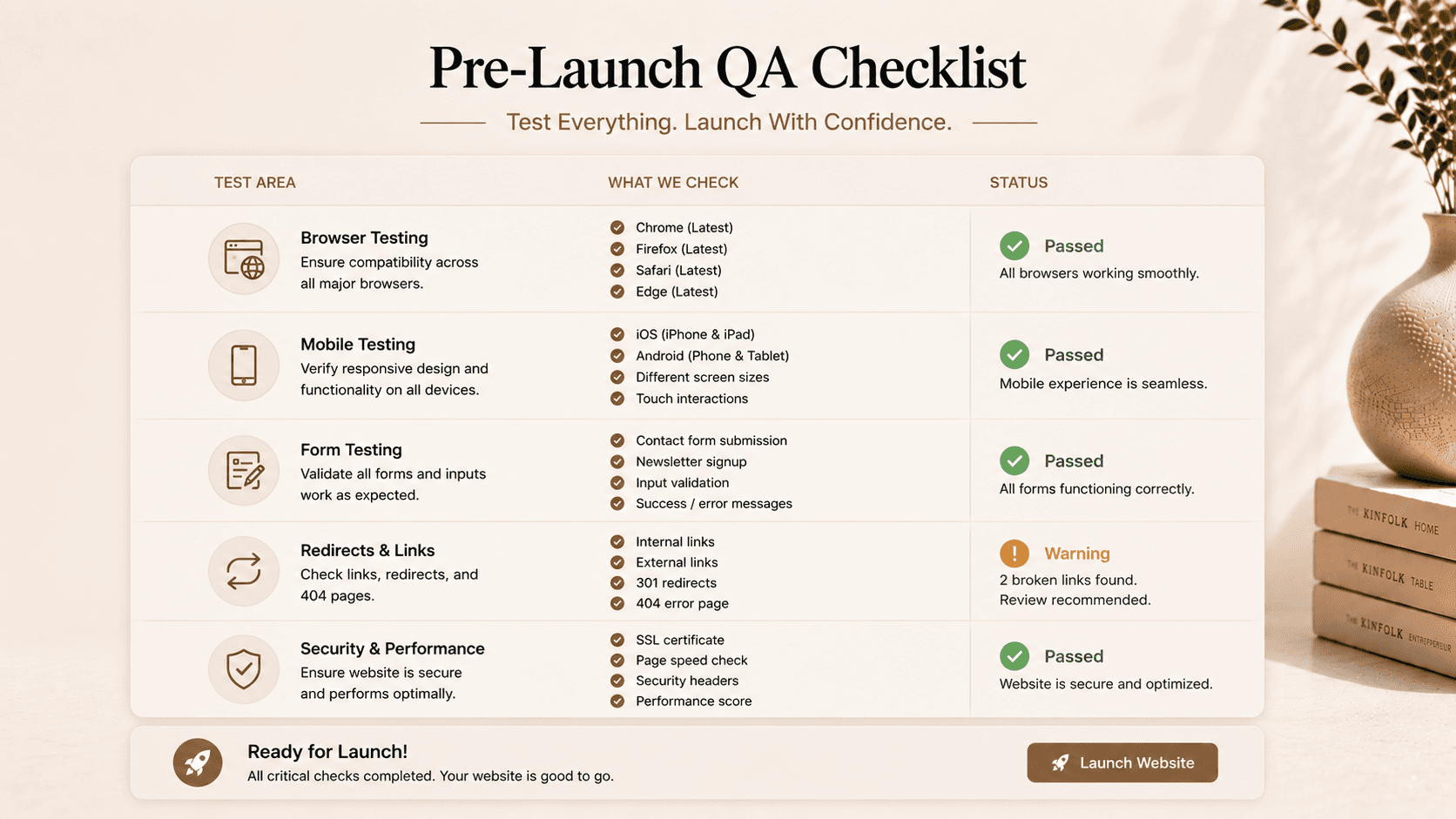
Pre-launch testing checklist:
Test every form submission (and check you receive the email)
Test every page on mobile (real phone, not just browser resize)
Test in Chrome, Safari, Firefox, and Edge
Test every CTA, where does it actually go?
Check your 404 page exists and redirects appropriately
Run a PageSpeed test on at least 5 key pages
One more thing: Don't go live on a Friday. Seriously. If something breaks, you want your team available to fix it. Tuesday or Wednesday launches leave you days of runway before the weekend.
Mistake 6: Treating Launch as the Finish Line
This is the mindset mistake more than a technical one, and it's just as damaging.
Your new site launches. It looks great. Everyone's happy. And then… nothing changes. No monitoring, no testing, no iteration. The site sits there for another three years until the next redesign cycle begins.
A redesign is a starting point. The best results come from launching, measuring, and continuously improving based on real user behaviour. What's your new conversion rate? Which pages have high bounce rates? Where are users dropping off in your funnel?
The businesses that get the most out of a redesign are the ones that treat it as an ongoing process, not a one-time event. Set up proper tracking before launch. Review the data monthly. Test headlines, CTAs, and layouts. Compound your gains.
How Createxp Avoids These Mistakes (So You Don't Have To)
Here's the thing, I've been on both sides of this. I've seen what happens when these steps are skipped, and I've seen what happens when they're done right. The difference in outcomes is significant.
At Createxp, we built our entire redesign process around avoiding exactly these mistakes. Every project starts with a data audit of the existing site before anyone touches a wireframe. SEO redirect mapping is a deliverable, not an afterthought. Performance targets are set in the brief and measured at launch.
We don't just design to impress in a portfolio review. We design to convert visitors into customers. And we stay involved after launch to make sure the site is performing the way it should.
Whether you're a startup building your first serious web presence or an established business updating a site that's been running for five years, the process is the same: understand the data, set clear goals, protect what's working, fix what isn't, and measure everything.
That's how a redesign becomes an investment with a measurable return, not just a new coat of paint.
Don't Let a Beautiful Redesign Become an Expensive Mistake
You deserve a site that looks great and performs even better. The two aren't mutually exclusive, but they don't happen by accident.
Key Takeaways
Never start a redesign without a documented strategy, what the site needs to do, for whom, and how you'll measure success.
Analyse your existing website data before changing anything. Your current site has information you can't afford to ignore.
301 redirects for every changed URL are non-negotiable. Skipping them can wipe out years of SEO authority in days.
Test through a customer's eyes, not your own. External feedback before launch catches the things your team is too close to see.
Every page, every form, every CTA should be tested on real devices before launch, not just in a browser with a resized window.
Launch is the start of the process, not the end. Track, measure, and improve continuously after going live.
Frequently Asked Questions
What are the most common website redesign mistakes?
The most common website redesign mistakes are: starting design before establishing strategy, ignoring analytics data from the existing site, failing to set up 301 redirects for changed URLs (which destroys SEO), designing for internal preferences rather than customer needs, launching without proper QA testing, and treating the launch as the endpoint rather than the beginning of an ongoing optimisation process.
How do I avoid losing SEO after a website redesign?
To protect SEO during a redesign: document every existing URL before you start, map each one to its new equivalent, set up 301 redirects for every changed URL, submit an updated sitemap to Google Search Console immediately after launch, and monitor Search Console for crawl errors and 404s in the first 30 days. Also ensure the redesigned site is faster, not slower, page speed is a ranking factor.
Should I analyse my current website before redesigning?
Absolutely, yes. Your current site contains data that should directly inform the redesign, which pages convert, which traffic sources matter, where users drop off, and what content they actually engage with. A redesign built on this data is significantly more likely to improve performance than one built purely on aesthetic preference.
How long does it take to see results after a website redesign?
Most businesses see measurable changes within 30–60 days of launch. SEO impacts can take 60–90 days to fully materialise as Google re-crawls and re-evaluates the new site. Conversion rate changes are often visible within the first 2–4 weeks if you have consistent traffic levels. The key is having baseline metrics before launch so you can measure the improvement accurately.
Warning: Working With Us May Trigger Unstoppable Momentum