
Framer Development
Saket Khare
CTO & Co-Founder
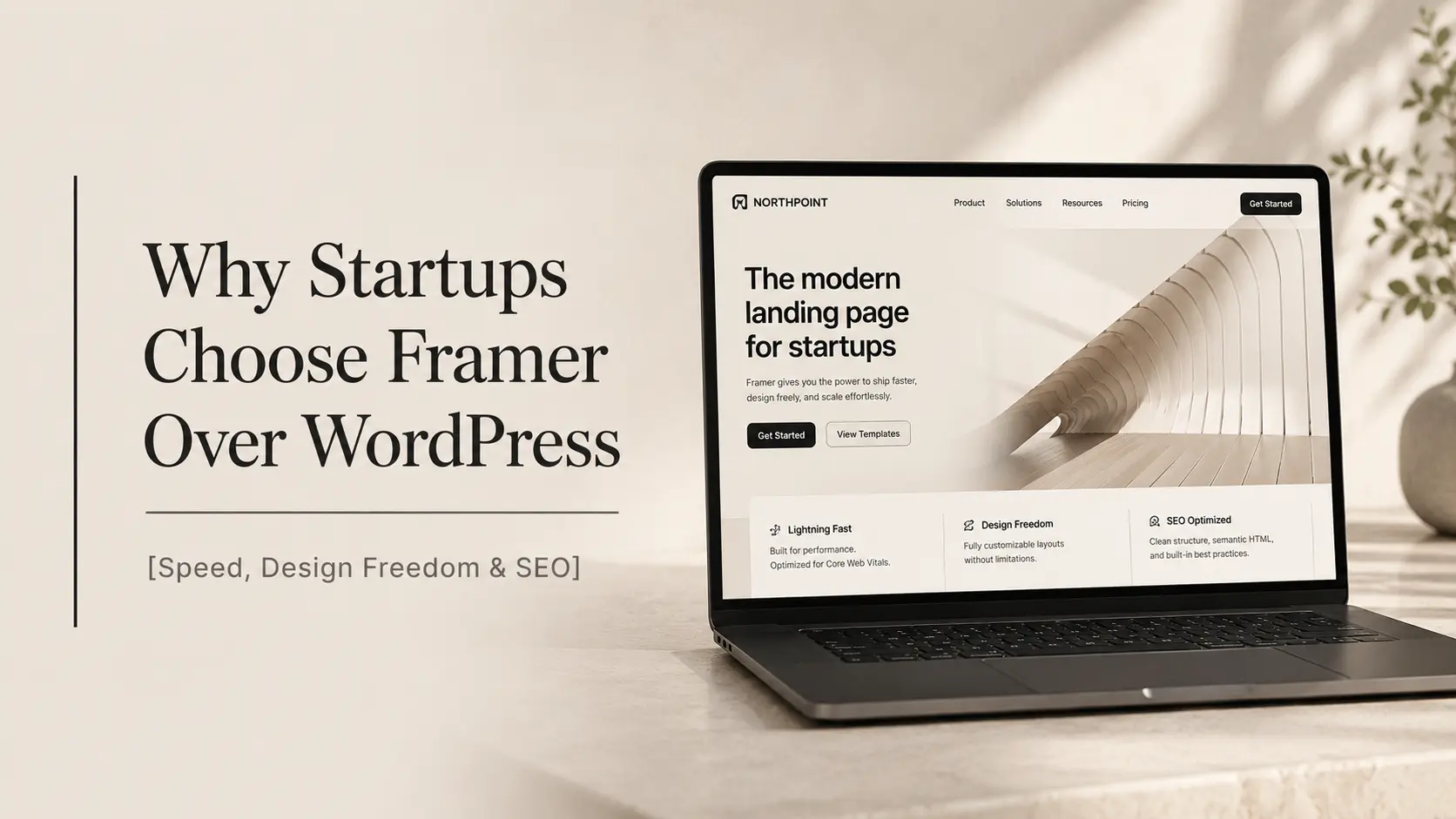
If you’re building a startup right now, your website is doing more than just existing. It’s raising money, converting customers, and telling investors whether you know what you’re doing, all in about three seconds. The platform you build it on matters more than most founders realise.
WordPress has been the default choice for over a decade. And it’s not bad. For a lot of use cases, it’s perfectly fine. But something interesting has been happening over the last two years: early-stage startups, especially design-conscious ones, are increasingly choosing Framer as their startup website platform. And the reasons go deeper than aesthetics.
Here’s the context that makes this shift make sense. The average WordPress site with a standard theme and a handful of plugins loads in 3.5–5 seconds on mobile. Google’s own data shows that 53% of mobile users abandon a site that takes more than 3 seconds to load. For a startup trying to convert a cold visitor into a demo request or a sign-up, that loading gap can be the difference between traction and nothing. Framer sites, by contrast, consistently load in under 1.5 seconds, because they’re built on React, hosted on a global CDN, and carry none of the plugin overhead.
This isn’t a “WordPress is dead” article. It’s an honest look at why so many startup founders are making the switch, and whether it makes sense for you.
What’s Actually Driving the Framer-for-Startups Movement
The shift toward Framer for startups isn’t just a design trend. It’s a practical response to what early-stage companies actually need from a website.
Startups Need to Move Fast
A startup’s website is never done. You’re updating the messaging, testing a new hero, swapping the pricing structure, and adding a case study, all in the same week. Sometimes all in the same day.
WordPress makes every one of those changes a minor production. You’re dealing with a theme, a page builder (Elementor, Divi, or similar), and a CMS that wasn’t designed with design velocity in mind. A simple hero copy change shouldn’t require navigating three menu layers.
Framer is built differently. The editing experience is direct. You click on what you want to change, and you change it. There’s no abstraction layer between “I want this to look different” and “it looks different.” For a startup team running lean, this matters.
Investors and Customers Judge Your Website Fast
First impressions in the startup world are brutal. Investors see hundreds of sites a week. Potential customers make snap judgements about your credibility within seconds.
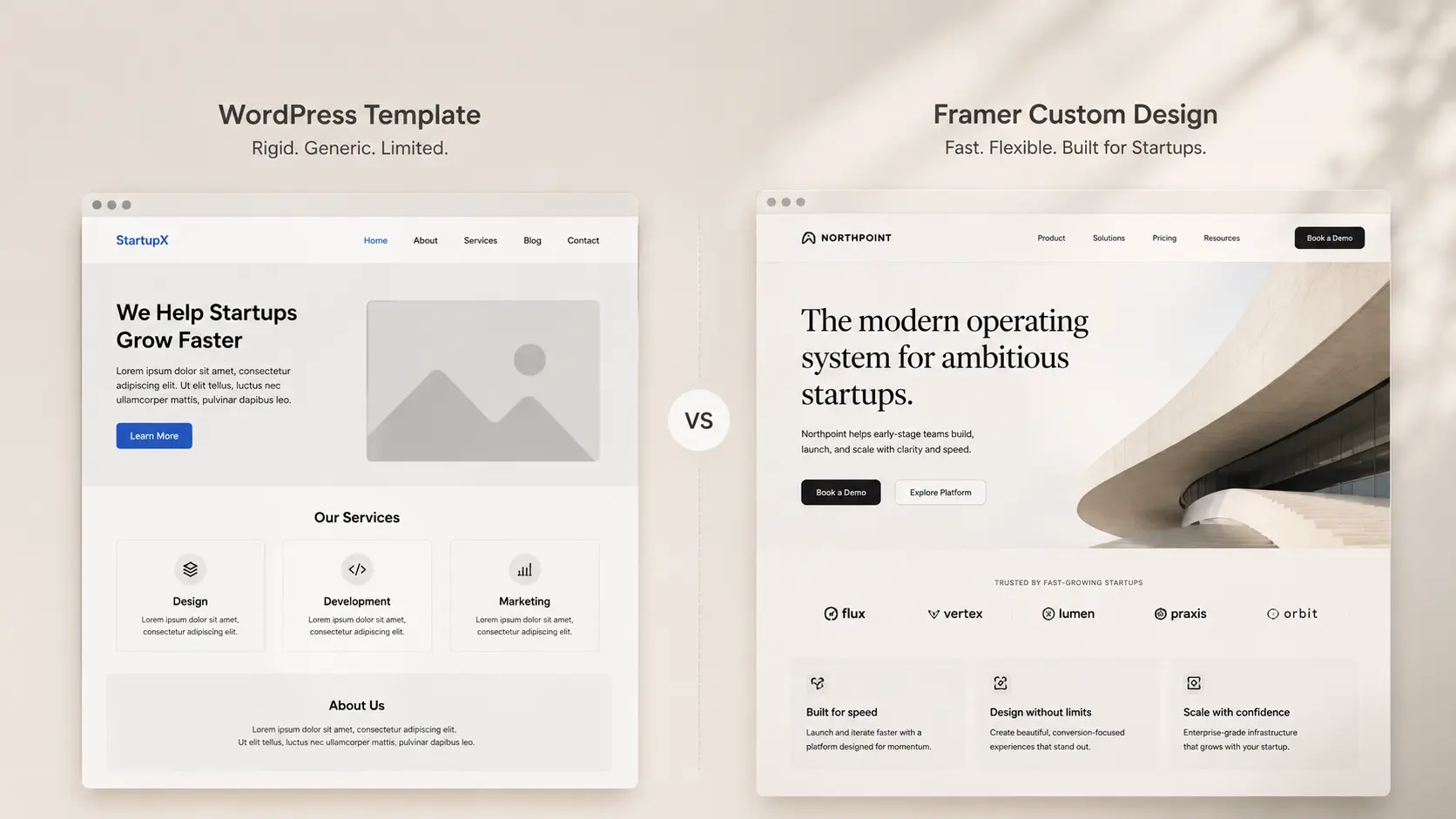
A generic WordPress theme, even a nice one, reads as generic. Framer’s design system allows for genuinely custom layouts, motion, and interactions that look like they were built by a serious design team. For pre-seed and seed-stage startups trying to punch above their weight, this visual credibility is a real competitive advantage.
The Plugin Problem Is Real
The average WordPress site uses 20+ plugins. Each plugin is a performance cost, a potential security vulnerability, and a compatibility issue waiting to happen after the next update. A WordPress site that breaks after a routine update is not a hypothetical, it’s a near-universal experience.
Framer handles most of what those plugins do natively: forms, SEO settings, CMS, analytics integration, custom domains, and site search. Fewer moving parts means fewer things break.
Framer vs WordPress for Startups: The Honest Comparison
Let’s look at the real differences, not the theoretical ones.
Performance
Metric | WordPress (typical) | Framer |
Average mobile load time | 3.5–5 seconds | Under 1.5 seconds |
Google PageSpeed (mobile) | 40–65 | 85–98 |
Hosting type | Shared / VPS | Global CDN (built-in) |
Image optimisation | Plugin-dependent | Automatic |
Core Web Vitals | Usually needs work | Usually passes out of the box |
Performance isn’t vanity. Core Web Vitals are a direct Google ranking factor. A faster site ranks higher, converts better, and costs less to run.
Design & Customisation
WordPress: You work within your theme’s constraints. Customisation beyond the theme requires buying add-ons, writing custom CSS, or hiring a developer. The design ceiling is real.
Framer: Every element is fully customisable. There’s no theme constraining what a layout can look like. You’re working with a canvas, which is exactly how it should feel when you’re trying to communicate something specific about your brand.
Ease of Use for Non-Technical Founders
This one surprises people. Most assume WordPress is easier because it’s been around longer. But Framer’s learning curve for basic content editing is genuinely lower. You see your changes in real time. There’s no “preview” button hunting. Publishing is one click.
WordPress requires understanding the difference between the editor and the customizer, dealing with theme options, navigating the block editor vs. classic editor debate, and figuring out where your page builder’s settings actually live.
For a founder who just needs to update the homepage copy at 11pm before a pitch, Framer wins.
SEO
Here’s where the debate gets interesting. WordPress has long been considered the SEO-friendly option, largely because of the Yoast SEO plugin. For content-heavy, blog-driven SEO strategies, WordPress is still excellent.
But for startups focused on technical SEO and page speed, Framer has a real edge. Core Web Vitals, Largest Contentful Paint, Cumulative Layout Shift, Interaction to Next Paint, score significantly better on Framer by default. No plugin needed. No manual configuration.
Framer also generates a sitemap automatically, allows full meta title and description control per page, and supports Open Graph images for social sharing. For most startup marketing sites, it covers all the SEO bases without any setup complexity.
Cost in Year One
Item | WordPress | Framer |
Platform | Free (self-hosted) | $20–$30/month |
Hosting | $10–$50/month | Included |
Premium theme | $50–$200 | Not needed |
Page builder plugin | $50–$100/year | Not needed |
SEO plugin | Free–$100/year | Built-in |
Security plugin | Free–$100/year | Not needed |
Developer maintenance | Ongoing cost | Minimal |
Total (Year 1) | $300–$700+ | ~$240–$360 |
WordPress can appear free but usually ends up costing more in year one, especially when you factor in developer time for setup and ongoing maintenance.
Where WordPress Still Wins
Let’s be honest about this. Framer isn’t the right choice for every startup.
If your growth strategy is content marketing at scale: WordPress is still the better platform for managing a large blog with complex taxonomy, author management, and editorial workflows.
If you need e-commerce from day one: Framer has no native e-commerce. For startups selling products directly, Shopify or WooCommerce is the right call.
If you need user login and gated content: Framer doesn’t support user authentication. Membership sites and product dashboards built on a CMS need a different solution.
If you have a very large existing WordPress site: For established sites with years of content, SEO authority, and complex plugin dependencies, migrating may cost more than it’s worth.
If none of those describe your situation, if you’re building a clean marketing site, a product landing page, or a startup homepage designed to convert, Framer is the smarter choice.
The Startup Use Cases Where Framer Excels
Let’s get specific. Here are the exact scenarios where choosing Framer as your startup website platform makes the most sense:
Pre-Launch Landing Pages
You need a landing page that collects emails, communicates your value proposition clearly, and looks credible enough that journalists and investors take you seriously. Framer gets you there in hours, not days. No developer required.
Fundraising Websites
Your website is part of your fundraising narrative. Investors look you up. They visit your site. A pixel-perfect, fast-loading, distinctly designed site says something about your standards. A cookie-cutter WordPress theme says something different.
Product Marketing Sites
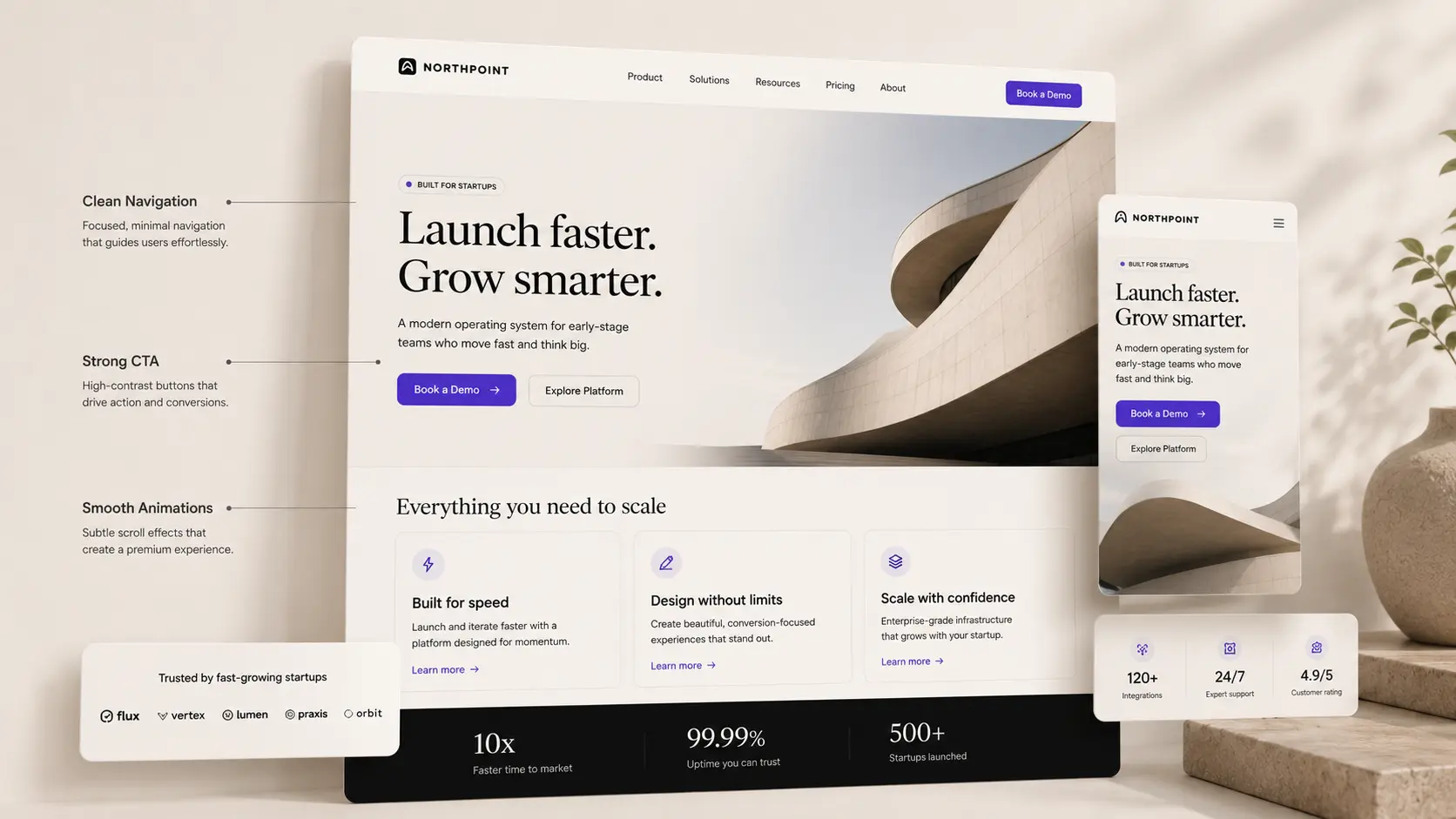
SaaS startups, in particular, are moving to Framer for their marketing sites. The ability to build scroll-triggered animations, interactive product demos, and custom feature showcases without a developer gives marketing teams real creative freedom.
Rebrand Projects
When a startup goes through a brand refresh, Framer is often the platform they land on. The design fidelity and the flexibility to execute a design system properly, without fighting a theme, makes it the natural choice for post-rebrand builds.
What to Consider Before You Switch to Framer
Switching is a decision, not an impulse. Here are the questions to ask before you move:
Do you have an existing content library? If you have 200 blog posts on WordPress, migrating them is work. Framer’s CMS handles blog content, but the import process takes time. Factor that in.
Who’s managing the site day-to-day? If a non-technical team member updates the site, they’ll adapt to Framer quickly. There’s a short adjustment period from WordPress, but it’s genuinely short.
How important are advanced SEO features to your growth? If you’re running a content-led SEO strategy with long-form articles and complex category systems, WordPress is stronger here.
Are you starting from scratch or migrating? Starting fresh on Framer is significantly easier than migrating. If you’re building a new startup site, starting in Framer is the cleanest option.
How Createxp Builds Framer Sites for Startups
Createxp has worked with early-stage and growth-stage startups across five continents, and a significant portion of those projects are Framer builds. The team has seen what works, and what doesn’t, for startup websites specifically.
Here’s what makes the Createxp approach to Framer for startups different:
Strategy before design
Every Framer build starts with a conversation about what the site needs to actually do. Is it converting investors? Attracting product signups? Building credibility in a competitive market? The structure and messaging hierarchy of the site is planned before a single frame is drawn.
Design system, not just pages
A proper Framer build isn’t a collection of individual pages. It’s a design system, a set of components, styles, and patterns that make the site feel cohesive and make future updates fast. Createxp builds this system first, then builds the pages on top of it.
Built to be handed over
Founders and their teams need to be able to update the site without coming back to the studio every time. Every Framer site built by Createxp is documented and structured so that non-technical team members can make content updates confidently.
Performance is a deliverable
PageSpeed scores are checked and optimised before launch. For a startup site, performance is not a nice-to-have, it directly affects SEO, conversions, and how seriously you’re taken.
The result is a startup website that founders are proud to share with investors, customers, and the public, and that continues to work for them as the company evolves.
Your Startup Website Should Work as Hard as You Do Stop settling for a site that’s “good enough.” Build one that converts. |
Key Takeaways
Framer for startups outperforms WordPress on page speed, Core Web Vitals, and design flexibility, all of which directly impact SEO and conversions.
The real cost of a WordPress setup (hosting, theme, plugins, maintenance) often exceeds Framer’s subscription cost in year one.
Framer is the better startup website platform for: landing pages, fundraising sites, product marketing sites, and rebrand projects.
WordPress still wins for content-heavy SEO strategies, e-commerce, and sites requiring user authentication.
The editing experience in Framer is faster and more intuitive for non-technical founders than WordPress’s layered admin system.
Startups using Framer consistently report Google PageSpeed scores of 85–98 on mobile, without any manual optimisation.
The best Framer sites for startups are built as design systems, not just collections of pages. This makes future updates faster and keeps the brand consistent.
Frequently Asked Questions
Is Framer good for startups?
Yes. Framer is particularly well-suited for early-stage startups building marketing sites, landing pages, and fundraising-focused websites. It offers faster load times, better design flexibility, and a lower maintenance burden than WordPress. For startups that don’t need e-commerce or user authentication, it’s often the better choice.
What’s the difference between Framer and WordPress for a startup website?
WordPress is a CMS-first platform that requires plugins, themes, and ongoing maintenance. Framer is a design-first platform that handles performance, SEO, and hosting natively. WordPress is better for content-heavy sites. Framer is better for design-led, conversion-focused startup marketing sites.
Is Framer better than WordPress for SEO?
For technical SEO and Core Web Vitals, Framer generally performs better out of the box. WordPress has more advanced options for content-led SEO strategies, especially with Yoast. For most startup marketing sites focused on performance-based SEO, Framer has the advantage.
How much does it cost to build a startup website on Framer?
Framer’s subscription costs $20–$30 per month. A custom-built Framer site with a professional studio typically ranges from $5,000 to $20,000 depending on complexity. This is comparable to a mid-range WordPress build, but with lower ongoing maintenance costs.
Can non-technical founders update a Framer site themselves?
Yes. Framer’s editing interface is designed for non-technical users. Basic content updates, copy changes, image swaps, adding new blog posts, are intuitive. Design changes are easier than WordPress but still benefit from a basic understanding of Framer’s canvas.
Does Framer have a blog or CMS?
Yes. Framer has a built-in CMS that supports blog posts, case studies, team members, and other collections. It supports dynamic filtering, custom templates for collection items, and basic editorial workflows. For most startup blogs, it covers everything needed without additional tools.
Why are so many startups switching to Framer from WordPress?
The main reasons: significantly faster page load times, better design quality without a developer, lower ongoing maintenance, and a more intuitive editing experience. For startups building conversion-focused marketing sites, the practical advantages of Framer over WordPress are meaningful and measurable.
Warning: Working With Us May Trigger Unstoppable Momentum