
Web Development
Akarsh Shrivastava
CMO & Co-Founder
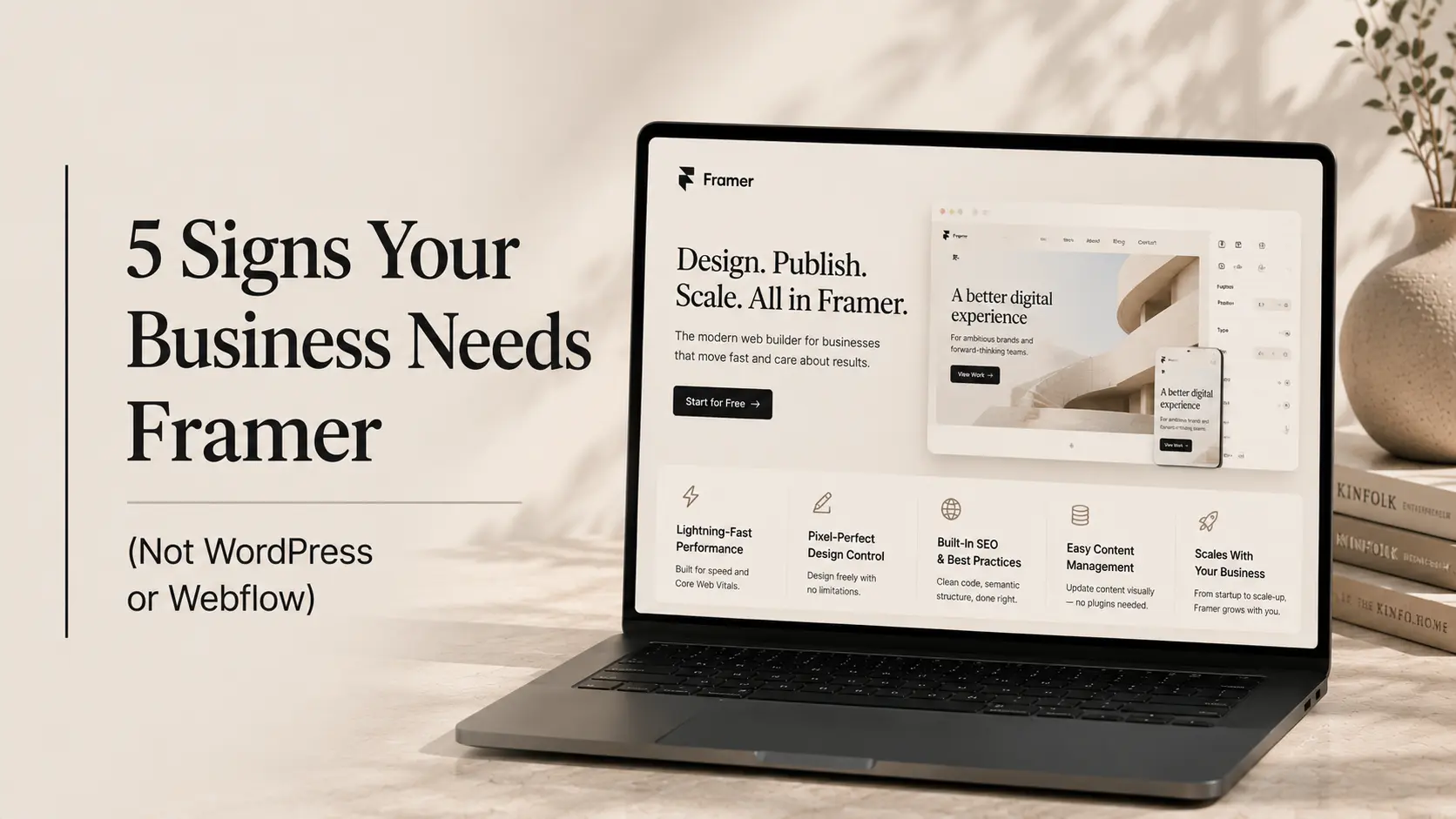
So, you're building a new website. Or maybe you're rebuilding an old one that just hasn't been delivering. Either way, you've landed in the middle of the same conversation every founder eventually has, WordPress, Webflow, or Framer?
Here's the honest truth: there's no single "best" platform. But there is absolutely a best platform for your specific business, your goals, and where you are right now. And if you've been hearing a lot about Framer lately, you're probably wondering whether it's actually worth the shift or just another shiny thing.
Let's clear the air. According to recent data, over 73% of users will abandon a website that takes more than 3 seconds to load, and first impressions are formed in under 0.05 seconds. That's barely a blink. Your website isn't just a digital brochure anymore. It's your brand's handshake, your pitch deck, and your salesperson, all at once. So the platform you build it on actually matters a lot more than people think.
This post will walk you through the 5 clearest signs that Framer might be the right choice for your business. Not because it's trendy, but because it genuinely solves specific problems that WordPress and Webflow sometimes don't. Let's get into it.
Quick Snapshot: What Even Is a Framer?
Before we get into the signs, here's a quick grounding. Framer is a design-first website builder that started as a prototyping tool for product designers. Over the last couple of years, it's evolved into a full-fledged website platform with hosting, CMS, and SEO features built in.
The big difference? Framer gives you design freedom that's closer to what a developer would hand-code, but without actually writing code. You're working with real components, real responsive layouts, and real animations, not pre-made themes.
WordPress, on the other hand, is a content management powerhouse. It's been around since 2003 and powers roughly 43% of the internet. Great for blogs, great for complex content structures, but design flexibility often requires plugins, custom code, or a developer.
Webflow sits somewhere in the middle. It's visual, powerful, and gives you clean code output. But the learning curve is steep, and for a lot of smaller teams, it can feel like learning to fly a plane just to cross the street.
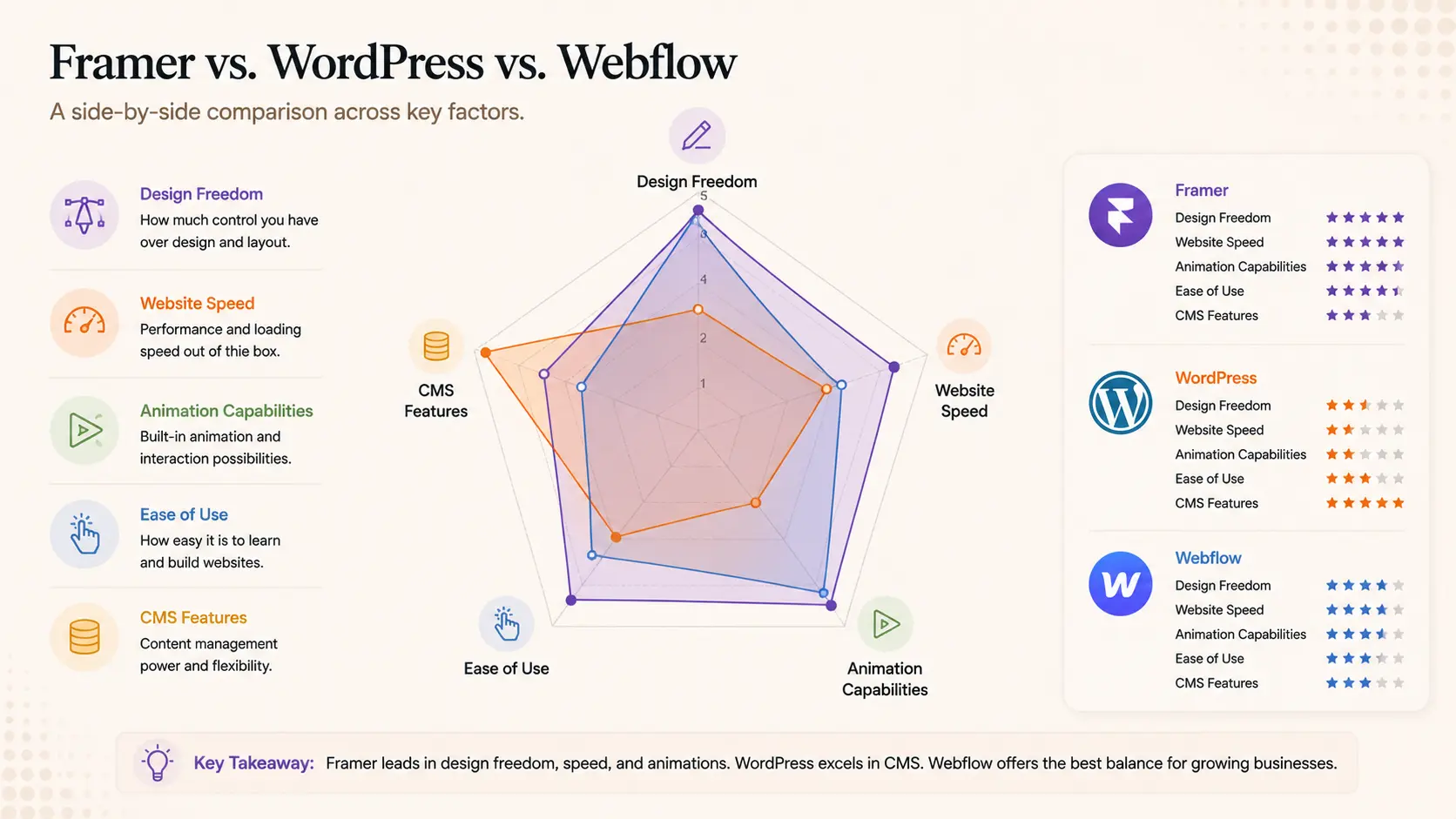
Platform Comparison at a Glance
Feature | Framer | WordPress | Webflow |
Visual customisation | Full freedom | Theme-limited | High, but complex |
Animation support | Native & smooth | Plugin-dependent | Good but technical |
Speed / performance | Very fast | Can be slow | Fast |
Best for | Design-led brands | Content sites | Marketing teams |
Developer needed? | Rarely | Often | Sometimes |
CMS / blog | Basic | Excellent | Good |
The 5 Signs Your Business Is Ready for Framer
Sign 1: Design Is Your Competitive Edge
Some businesses sell on price. Others sell on convenience. But if your business competes on how it looks, how it feels, and the impression it makes, design is literally your product.
Think about creative agencies, portfolio brands, DTC startups, SaaS companies fighting for attention in a crowded market, or any founder who knows their visual identity is what separates them from a sea of competitors. If that sounds like you, Framer was built for this.
What Framer unlocks here
• Pixel-perfect layouts that actually respect your designer's vision
• Animations and micro-interactions without writing a single line of CSS
• Custom fonts, gradients, overlapping layers, things that look "off" in Webflow or require plugins in WordPress
• Scroll-based animations that make storytelling feel alive
When someone asks "when to use Framer", this is often the first answer. If your design system is non-negotiable and you don't want to compromise, Framer gives you the control you need.
Sign 2: You're Launching Fast and Need to Look Credible Immediately
Startups and early-stage founders don't have months to get their website right. You need something live, polished, and convincing, fast. Whether it's for a fundraising pitch, a waitlist launch, or a product reveal, first impressions do the heavy lifting.
Framer's component-based system and ready-to-use templates are genuinely built for speed. Unlike WordPress, where you're often fighting theme limitations or wrestling with page builders, Framer lets you move from wireframe to live site without losing quality.
The other thing worth mentioning: Framer sites load fast by default. There's no bloat from unused plugins, no cache management nightmares, no image compression plugins to configure. Performance is baked in. For a startup trying to raise or convert early users, that matters a lot.
This is one of the strongest framer benefits that early-stage companies tend to overlook, speed to market without sacrificing the visual polish that builds trust.
Sign 3: Your Team Doesn't Have a Dedicated Developer
Here's a real-world scenario. You have a marketing team, maybe a designer, maybe both. But no in-house developer. Every time you want to update the homepage, change a section layout, or add a new landing page, you're either waiting, paying, or breaking something.
Framer is genuinely empowering for non-dev teams. Changes that would require developer involvement in WordPress or Webflow can often be handled independently in Framer. You're not editing raw HTML, you're working in a visual environment that's actually intuitive.
Practical examples
• Marketing teams launching seasonal campaign pages without dev support
• Founders updating copy or CTAs without going through a sprint
• Designers publishing their own changes without handoff delays
This doesn't mean Framer requires zero technical knowledge. Complex custom logic or backend integrations still need development. But for most website management tasks, Framer genuinely reduces dependency on developers in a way that the others don't.
Sign 4: You Want Animations That Don't Feel Like 2015
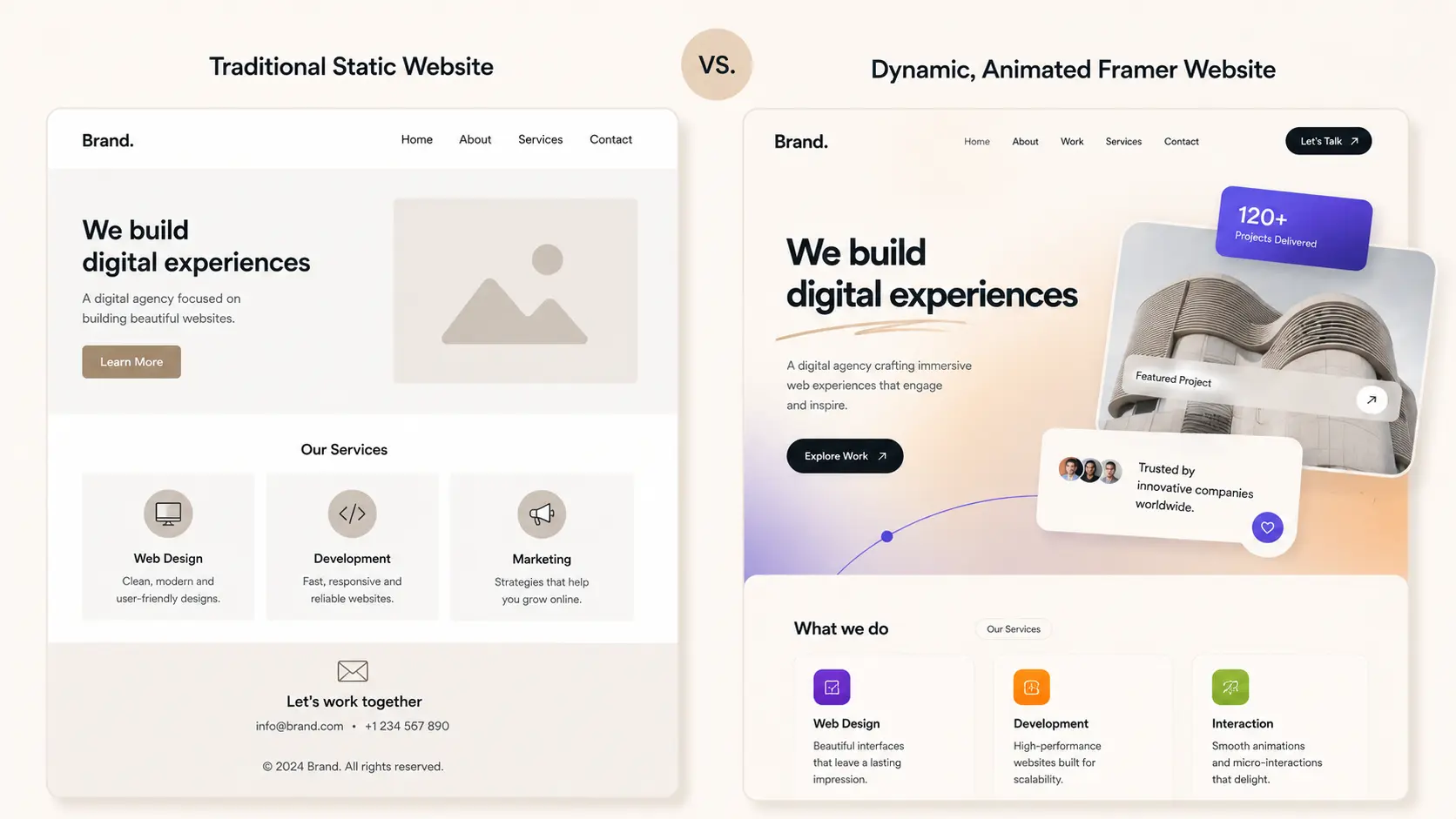
There's a specific feeling when a website has animations done right. They guide your eye, they feel smooth, and they make the whole experience more engaging without being distracting. That feeling is surprisingly hard to achieve in WordPress and even Webflow.
In WordPress, you're usually relying on a plugin like Elementor or GreenSock integrations that need a developer to tune properly. In Webflow, interactions are powerful but the learning curve means most teams use a fraction of what's available.
Framer has animation built into its core. Scroll-triggered reveals, hover states, entrance animations, parallax effects, these are first-class citizens in Framer, not afterthoughts. If your brand story needs motion to come alive, Framer handles this better than anything else in the no-code space right now.
If you're asking "should I use Framer" specifically because your current site feels static and lifeless, this sign is probably the most relevant one for you.
Sign 5: SEO and Performance Are Non-Negotiable for You
A lot of people don't realise this, but Framer actually has strong SEO fundamentals. It generates clean, semantic HTML. Pages load quickly. It supports meta tags, Open Graph, custom slugs, and all the basics you'd expect.
WordPress still has an edge in content-heavy SEO, it's hard to beat its ecosystem of plugins like Yoast or Rank Math for deep technical SEO. But for most business websites, the performance gains from Framer more than compensate.
Google's Core Web Vitals now directly influence rankings. Sites that are slow, or that shift layout while loading, get penalised. Framer's output is lean. There's no WordPress plugin overhead. No theme CSS you don't need. Just clean, fast code.
Who this matters most for
• Startups building visibility from scratch where performance signals count
• Businesses that have Google Ads or paid traffic, every second of load time affects conversion rate
• B2B companies where the website is a primary trust signal in the sales process
Okay, But When Should You NOT Use a Framer?
Fairness first. Framer isn't the answer to everything, and it's worth being honest about where it falls short.
Framer probably isn't the right call if:
• You run a content-heavy blog or editorial site that needs advanced CMS features, WordPress wins here, no contest
• You have a large e-commerce operation, Shopify or WooCommerce still dominate
• Your site has complex custom integrations, member portals, or database logic
• Your team is entirely non-technical and needs drag-and-drop simplicity without any learning curve
Knowing when to use Framer means also knowing when not to. It's a tool, not a religion. The right choice is always the one that fits your actual use case.
How CREATEXP Approaches Framer for Business Websites
Here's something we've learned from working with 50+ founders and enterprises across 5 continents: the platform decision almost never comes first. The business goal does.
When a startup comes to CREATEXP needing a site that helps them raise a seed round, we're thinking about what story the site needs to tell, what the investor needs to feel when they land on it, and what technical constraints exist. Framer development often ends up being the answer, because design credibility and load speed matter enormously in those moments.
When a B2B company needs a website that supports a complex sales cycle, generates inbound leads, and integrates with their CRM, we think through that whole system before touching a single component. Sometimes that's Framer. Sometimes it's a custom build.
What CREATEXP does differently is that there's no outsourcing, no mystery handoffs, and no recommending a platform just because it's familiar. The in-house team, designers, developers, strategists, and copywriters, works as a single unit to get to the right answer for each project. That's the thing most agencies don't actually do, even if they say they do.
The studio has built Framer sites for brands where visual impact was the mission, and it's also told clients when Framer wasn't the right tool. That kind of transparency is what actually builds long-term partnerships, not just one-off deliverables.
Not Sure Which Platform Is Right for You? Talk to the CREATEXP team. We'll give you a straight answer, no sales pitch. |
Things Worth Remembering
Before you close this tab, here's the condensed version of what matters:
1. Framer is ideal when design quality, animation, and performance are priorities, not just nice-to-haves.
2. It's genuinely fast to launch on, which makes it a strong choice for early-stage startups needing credibility quickly.
3. Teams without dedicated developers can manage Framer sites far more independently than WordPress or Webflow.
4. For content-heavy blogs, complex e-commerce, or deep custom logic, WordPress or a custom build will serve you better.
5. The platform decision should follow the business goal, not the other way around.
6. Framer's SEO fundamentals are solid for most business websites. It's performance is one of its biggest underrated strengths.
Questions People Usually Have About This
Is Framer good for small businesses?
Yes, especially if your small business competes on brand presentation. Framer is affordable, fast to set up, and gives you a level of design quality that used to require a custom-coded site. If your goal is to look polished and credible without a huge budget, it's a strong choice.
Can non-designers use Framer?
With some learning, yes. Framer is more intuitive than Webflow for most people, and its template library is genuinely useful for getting started. That said, to get the most out of it, having at least a basic eye for design helps. Pure non-designers with no interest in visual decisions might find WordPress easier to manage day-to-day.
How does Framer handle SEO compared to WordPress?
For most business websites, Framer's SEO capabilities are more than adequate. It supports all the standard meta fields, loads fast, and generates clean HTML. WordPress has a richer SEO plugin ecosystem and is better for complex content strategies. But Framer's performance advantage often offsets this for business sites.
Is Framer expensive?
Framer's pricing is competitive with Webflow. Paid plans start at a reasonable monthly rate and include hosting. When you factor in what you'd spend on premium WordPress themes, plugins, and hosting, Framer often ends up being similar or cheaper, especially when you account for reduced developer dependency.
Should I use Framer for my SaaS marketing site?
This is actually one of Framer's strongest use cases. SaaS marketing sites benefit from great animations, fast load times, and the ability to update quickly without developer involvement. If your marketing team needs to move fast and your brand needs to stand out visually, Framer is one of the best options available right now.
Can Framer handle a blog or CMS?
Framer has a built-in CMS that works well for basic blog needs. It's not as powerful as WordPress for heavy content publishing, but for a company blog with weekly posts and simple categorisation, it does the job cleanly. If content is your primary growth engine, WordPress remains the stronger choice.
Warning: Working With Us May Trigger Unstoppable Momentum